Streaming, no layer cache
Layers are relayed as they download and never written to disk, so there is no cache to size or clean up.

A multi-upstream Docker registry proxy — one domain for all of them.
Streaming pull-through: no image layer cache, and no Docker socket. Docker Hub keeps its original image names, other registries use a path prefix on your domain, and a pull stats console is built in.
MIT licensed · Data plane and admin plane are separate
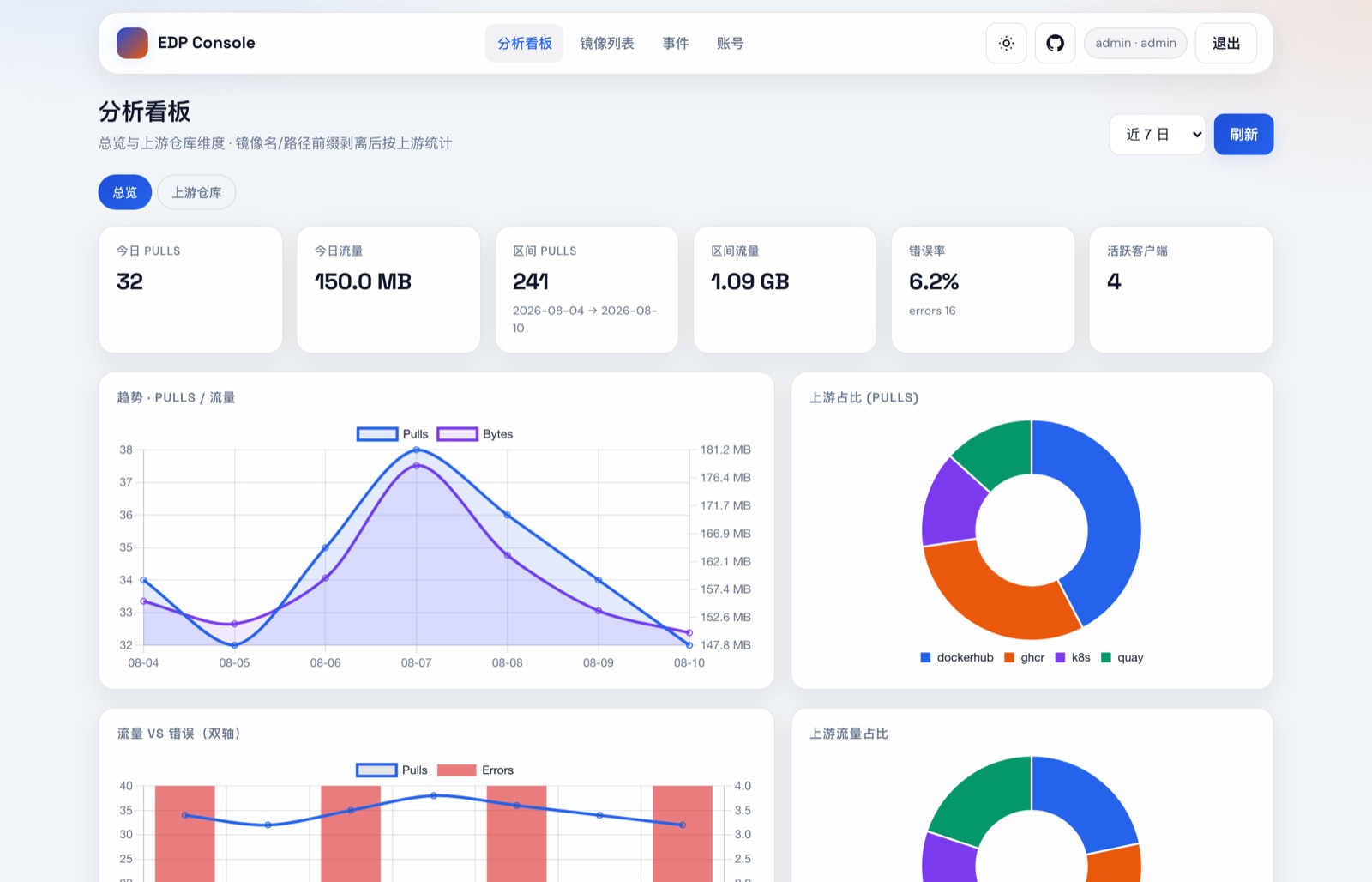
Stats console (demo data): pull trends, upstream share and error rate at a glance.
It does one thing: forward pull requests to the right upstream registry. No hoarding images, no managing containers.
| What | A multi-upstream Docker Registry proxy on your own server and your own domain |
|---|---|
| Cache | No image layer cache, streaming pull-through; only SQLite metadata (pull records) on disk |
| Entry | One domain: Docker Hub goes through registry-mirrors, other upstreams use a path prefix |
| Admin | Built-in stats web UI; no Docker socket, no container management |
| Stack | Written in Go, deployed with Docker Compose, MIT licensed |
Layers are relayed as they download and never written to disk, so there is no cache to size or clean up.
Docker Hub keeps its image names through registry-mirrors; ghcr.io, quay.io and others add a path prefix after your domain.
Docker Hub, GHCR, Quay, GCR, registry.k8s.io, MCR, NVCR, Elastic and public ECR. Turn any off, or add your own.
A dashboard, per-upstream analytics, an image list and an event log, in light and dark themes.
Public images are pulled anonymously by default. Add a username and token per upstream to pull private images or avoid Docker Hub rate limits.
Turn on pull_auth so only clients that ran docker login against the proxy can pull, and strangers cannot use it.
The data plane listens on 127.0.0.1:5000 by default and is published through a TLS reverse proxy; the admin plane on :5001 is not exposed publicly by default.
It never mounts docker.sock and manages no containers, so the permission boundary is easy to see.
MIT-licensed, with English and Chinese READMEs, an install guide and troubleshooting docs on GitHub.
Add the matching path prefix after your domain. The proxy picks the upstream from it and strips the prefix before forwarding.
| Upstream | Path prefix | Pull example |
|---|---|---|
| Docker Hub | docker.io, or mirrors (no prefix) | docker pull nginx |
| GHCR | ghcr.io | docker pull reg.example.com/ghcr.io/owner/app:tag |
| Quay.io | quay.io | docker pull reg.example.com/quay.io/org/img:tag |
| GCR | gcr.io | docker pull reg.example.com/gcr.io/project/img:tag |
| Kubernetes | registry.k8s.io、k8s.gcr.io | docker pull reg.example.com/registry.k8s.io/pause:3.9 |
| Microsoft MCR | mcr.microsoft.com | docker pull reg.example.com/mcr.microsoft.com/... |
| NVIDIA NGC | nvcr.io | docker pull reg.example.com/nvcr.io/... |
| Elastic | docker.elastic.co | docker pull reg.example.com/docker.elastic.co/... |
| AWS Public ECR | public.ecr.aws | docker pull reg.example.com/public.ecr.aws/... |
Note: reg.example.com in the table is only an example; use your own domain. Upstreams are pulled anonymously by default; to pull private images or avoid rate limits, put the matching username and token in .env. Set enabled to false to turn off an upstream you do not need.
Clone the repo, fill in the environment variables and start it with one Docker Compose command.
Point the domain at the proxy host, reverse-proxy it to 127.0.0.1:5000 with Caddy or Nginx, and put the same domain in config.yaml.
For Docker Hub, add one mirror line to daemon.json; for other registries, put your domain in front of the image name.
Replace every reg.example.com below with your own domain.
Image names stay exactly the same. Put this JSON in /etc/docker/daemon.json:
{
  "registry-mirrors": ["https://reg.example.com"]
}
systemctl restart docker # Linux docker pull nginx:alpine
If the entry point is plain HTTP, also add it to insecure-registries.
Add the upstream's prefix after the same domain:
docker pull reg.example.com/ghcr.io/owner/app:tag
docker pull reg.example.com/quay.io/prometheus/prometheus:latest
docker pull reg.example.com/registry.k8s.io/pause:3.9
The proxy picks the upstream by prefix and strips it before calling the real registry.
Do not hijack official names like ghcr.io to the proxy via /etc/hosts; the certificate will not match and TLS will fail.
You need a 64-bit Linux host (or Docker Desktop locally), Docker with Docker Compose v2, and outbound HTTPS to the upstream registries.
Clone the repo and enter the directory; run the remaining commands from there.
git clone https://github.com/AlexWuYh/easy-docker-proxy.git
cd easy-docker-proxy
Copy the template, then generate a random admin token and stats password into .env. The stats login defaults to admin, and its password is PROXY_WEB_PASSWORD.
cp .env.example .env

# Generate a random admin token and stats password
EDP_ADMIN_TOKEN="$(openssl rand -hex 32)"
EDP_WEB_PASSWORD="$(openssl rand -base64 24 | tr -d '\n')"

# Write them into .env
sed -i.bak -e "s|^PROXY_ADMIN_TOKEN=.*|PROXY_ADMIN_TOKEN=$EDP_ADMIN_TOKEN|" \
  -e "s|^PROXY_WEB_PASSWORD=.*|PROXY_WEB_PASSWORD=$EDP_WEB_PASSWORD|" .env
rm -f .env.bak

# Clear the plaintext variables from this shell
unset EDP_ADMIN_TOKEN EDP_WEB_PASSWORD
Copy the config, then change hosts of dockerhub to your own domain (without https://).
cp configs/config.docker.yaml configs/config.yaml
registries:
  - name: dockerhub
    hosts:
      - "reg.example.com"   # ← replace with your real domain
    path_prefixes:
- "docker.io"Run it from the repo root; the first run builds the image.
docker compose --env-file .env -f deploy/docker-compose.yaml up -d --build
| Data plane | Listens on host 127.0.0.1:5000 by default; publish it through a TLS reverse proxy |
|---|---|
| Admin plane | :5001, not exposed publicly by default |
| HTTPS | Prefer your existing Caddy proxying to 127.0.0.1:5000 |
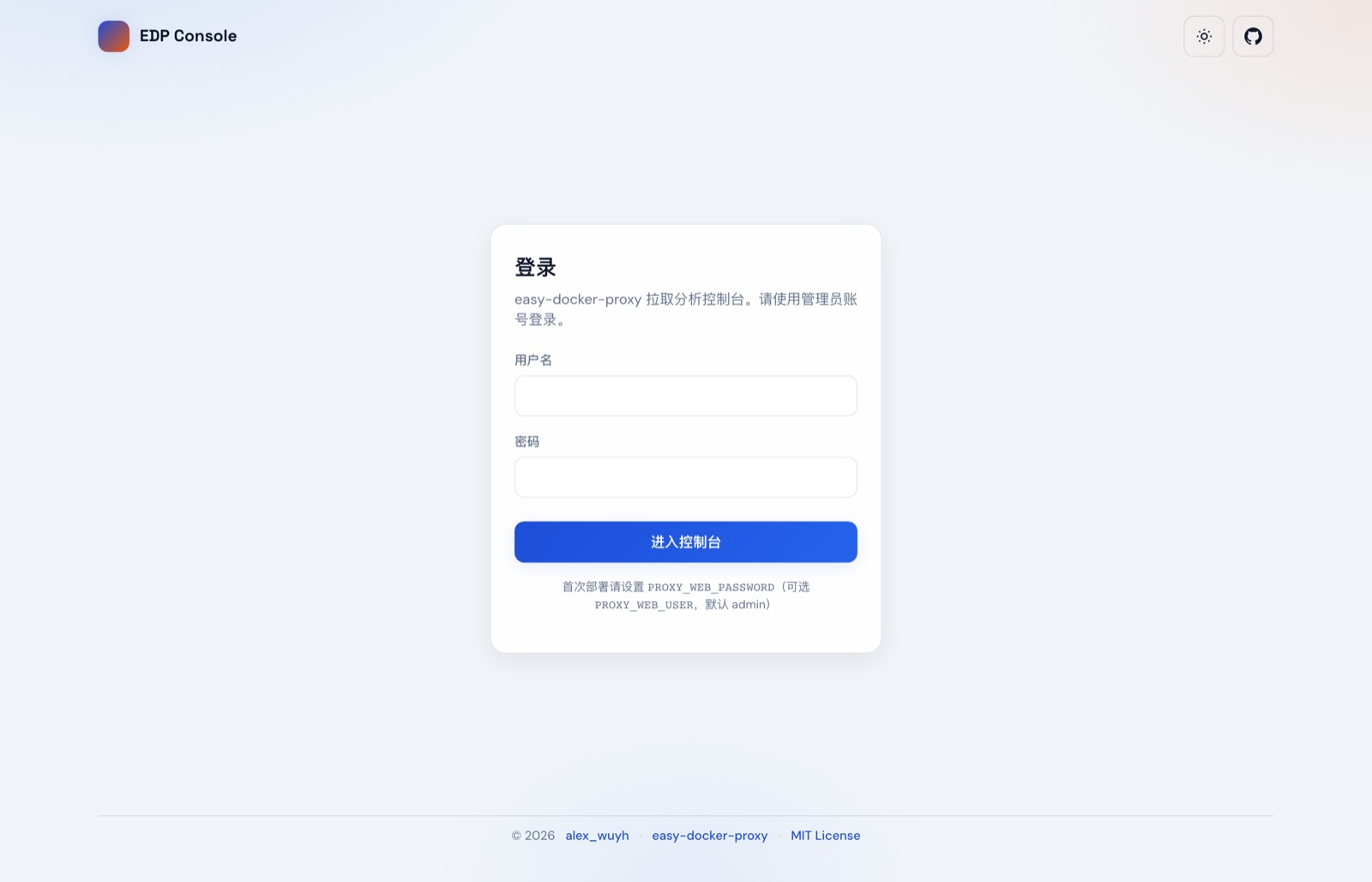
| Stats UI | Map 127.0.0.1:5001 and open /stats/login.html |
Bring your own domain: reg.example.com in the docs is only an example. Register a domain, point A / AAAA (or CNAME) at the proxy host, then put the real hostname in Caddy / Nginx and in hosts of config.yaml. Until DNS takes effect, client pulls will fail.
Full install, configuration and troubleshooting notes (currently in Chinese): install guide, troubleshooting.
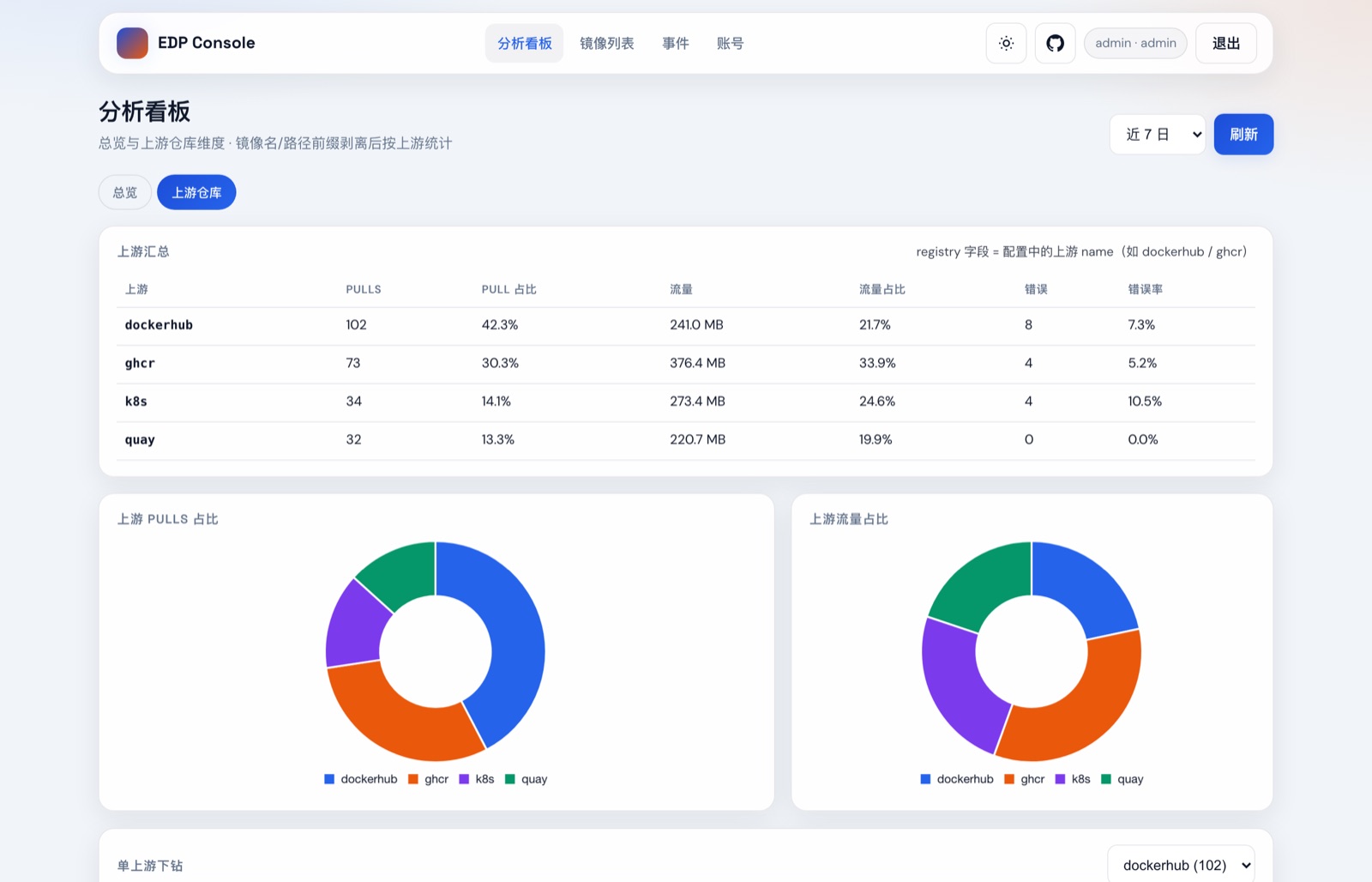
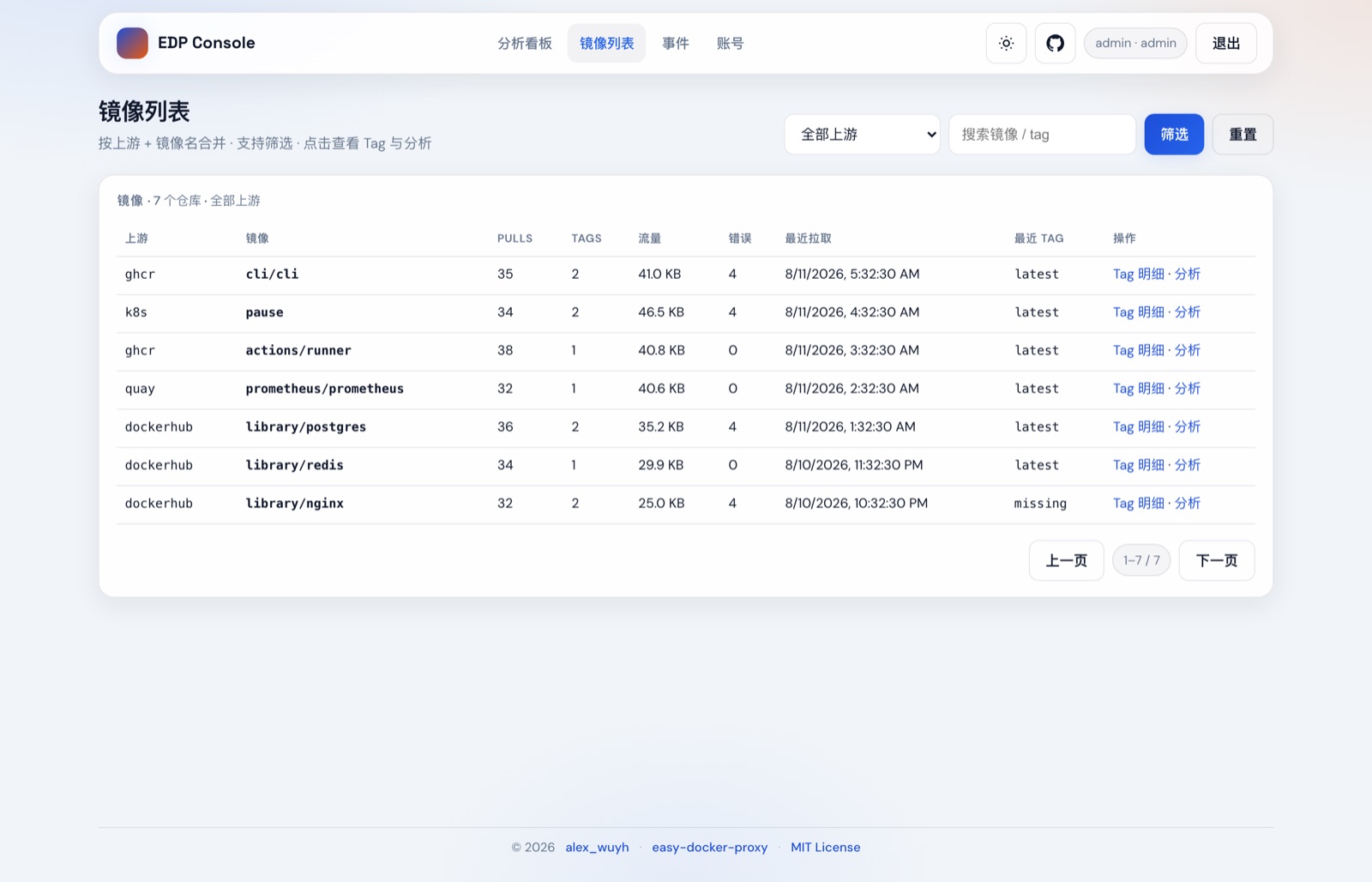
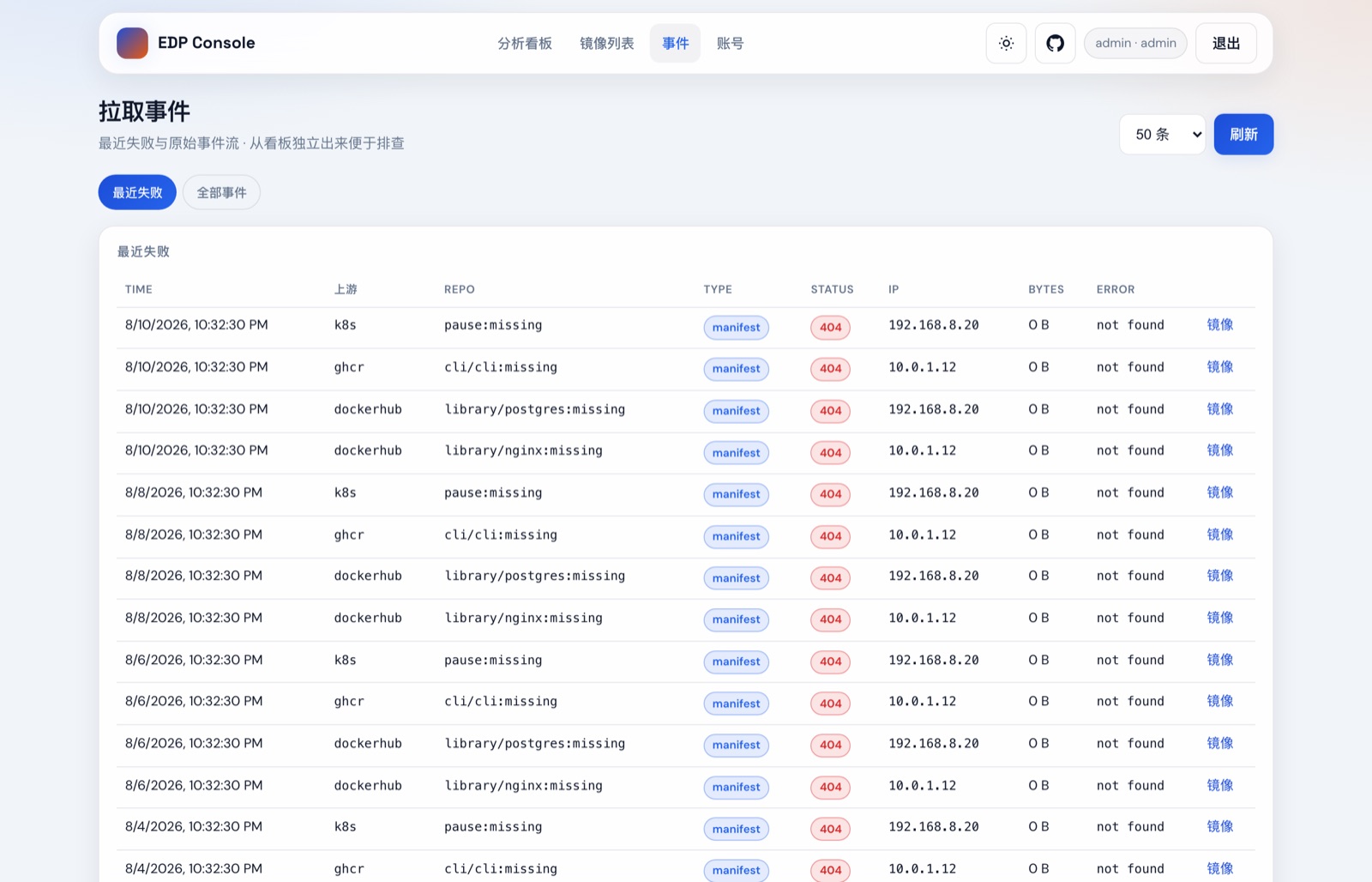
Who pulls what, and which upstream fails — all in one page. Screenshots use demo data; click for full size.
Free, open source, and running on your own server.